
The free skill that makes Claude check its own design
Install MotionSites Web Builder, give Claude one prompt, and watch it plan, build, screenshot and fix a landing page before you touch anything.
- Cost
- The skill is free: its instructions and code are MIT-licensed.
- Time
- 1 minute to install · about 10 minutes per page
- Phone?
- No. Use a laptop with Claude Code or the Claude desktop app.
- Tested on
- Tested on a MacBook Air M4 with Claude Code
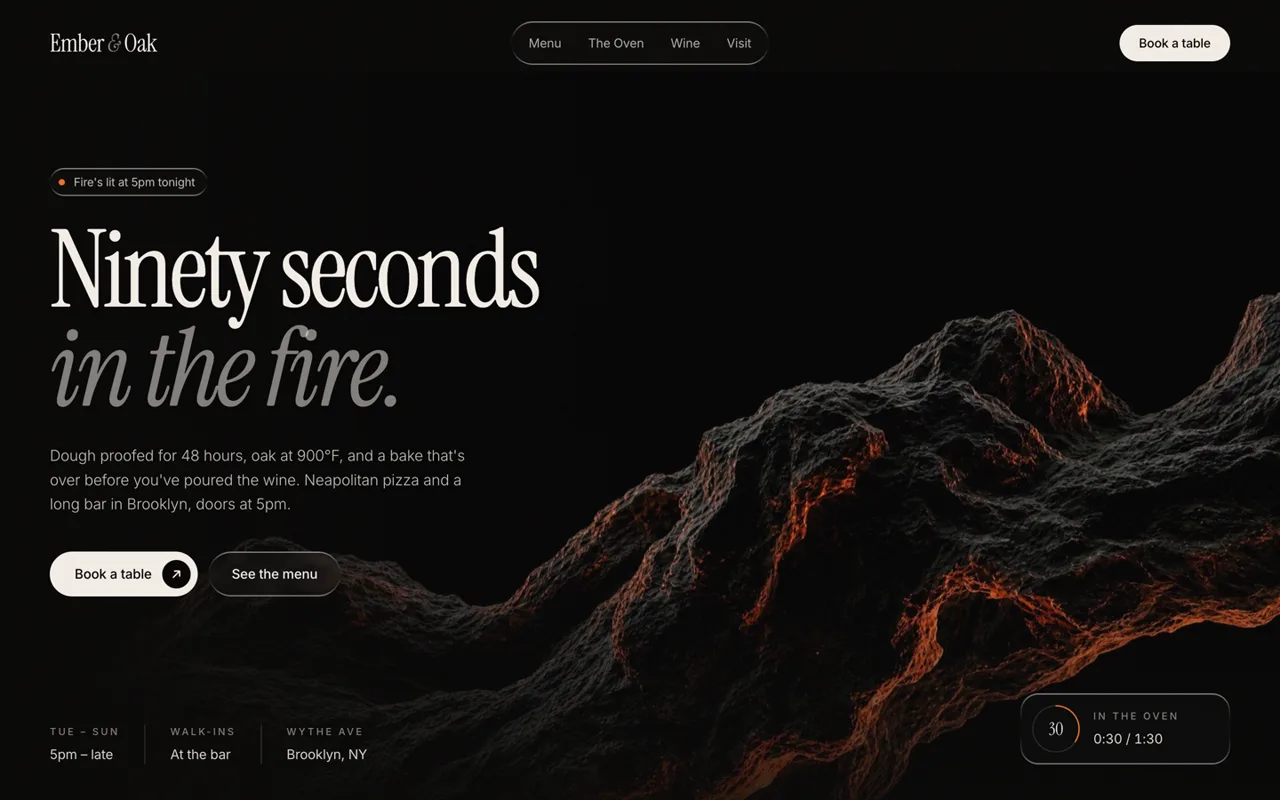
Same prompt. Drag to compare.
Both pages came from the same model and the same sentence. Only the right one was made with the skill.

Why it’s worth it
Plain AI-built pages often look fine but nobody looks at them. In our same-prompt test, plain Claude made a decent page in one pass. The skill version wrote a spec, picked real cinematic media, then screenshotted its own page and fixed five problems on its own. That second look is the difference.
What you need
- Claude Code on a paid Claude plan (or the Claude desktop/web app with code execution turned on, for the zip route).
- A clear one-line brief for the page you want.
- Optional: Playwright, so the skill's own screenshot-and-QA script can run.
What it costs
The skill is free: its instructions and code are MIT-licensed. Claude Code isn't in Claude's Free plan; it starts at Pro (claude.com/pricing, 17 Nov 2026). The example media is © MotionSites and may be used in sites you build with the skill.
Steps
Tap a step number to tick it off. Your progress stays on this device.
Add the skill's marketplace
In Claude Code, run the first command. If you have no GitHub SSH key, use the HTTPS version from the skill's README instead.
/plugin marketplace add Motionsites-AI/claude-skillInstall the skill
Then install it. Claude uses it automatically when you ask for a site.
/plugin install motionsites-web-builder@motionsitesOptional: let it see its work
The look-and-fix loop works best with Playwright (the README's command below). In our test Playwright wasn't installed, so Claude screenshotted with headless Chrome instead. It still caught all five problems.
pip install playwright && python -m playwright install chromiumAsk for a page in one line
Paste a brief like ours. The skill reads its closest example designs, picks media from its shelf, and writes a build spec (ours was saved as SPEC.md) before any code.
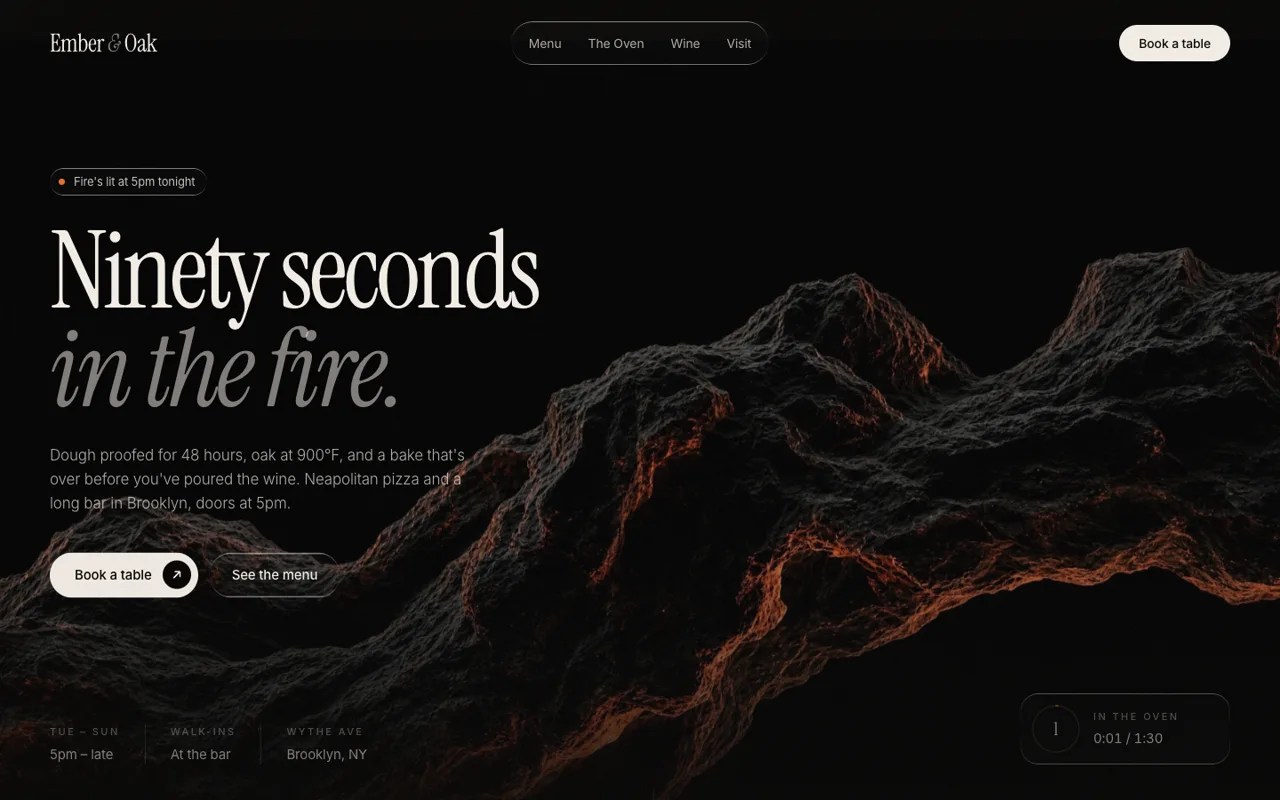
Its first draft: the copy sits on the busiest part of the image. Let it look, then fix
It screenshots desktop and mobile, finds problems and fixes them. If it ever skips this, ask it to (prompt below).
After its own review: copy moved to clean space, edges faded, a timer chip added.
Prompts to copy
Build a landing page hero for Ember & Oak, a fictional wood-fired pizza bar in Brooklyn that opens at 5pm and is known for a 90-second Neapolitan bake. Make it look premium.
Before you finish: screenshot the page at 1440×900 and 390×844, list every problem you see (text on busy image areas, overflow, weak contrast, awkward spacing, broken media), fix them, and screenshot again. Show me the before and after.
What you’ll get
A static landing page (index.html plus assets), a written spec, and screenshots of the draft and the fixed version.
Same prompt, same model, two isolated runs on 17 Nov 2026. Without the skill: one file in about 1–2 minutes, never opened in a browser. With the skill: about 10 minutes, a written spec, real media from its shelf, and five fixes found by its own screenshots: copy moved off the busy image, a hard image edge faded, a faint band behind the nav removed, the mobile image lowered behind the text, and a glow removed from a status dot.
If it doesn’t work
/plugin isn't recognised
Marketplace add fails with an SSH error
It built the page but never checked it
Mobile screenshots look cropped or blank
The fine print
Limits
- Claude Code is a paid Claude plan; the free Claude plan doesn't include it.
- The skill's example prompts and media are a free sample © MotionSites; the full library is a paid MotionSites product. We didn't use or test the paid version.
- Results vary run to run; our test is one brief, two runs. It's a demonstration, not a benchmark.
Other ways to do it
- Without any skill: ask Claude to write a spec first, then use the 'second look' prompt after it builds.
- Give Claude two or three sites you admire as screenshots and ask it to match their spacing and type scale.
Safety. Read any skill's files before installing it; skills can include scripts. This one's instructions and scripts are MIT-licensed and public on GitHub.
Sources
- MotionSites Web Builder skill (GitHub, README)
- Skill licence (MIT for instructions/code; media © MotionSites)
- Claude plans and pricing
Last tested 2026-11-17. Found something out of date? Tell Lana on Instagram and the guide gets fixed with a date.
Make a keynote-style launch film in code
Turn your new page into a launch film with the LAUNCH guide.
Open it
More like this.
 ANIMATE
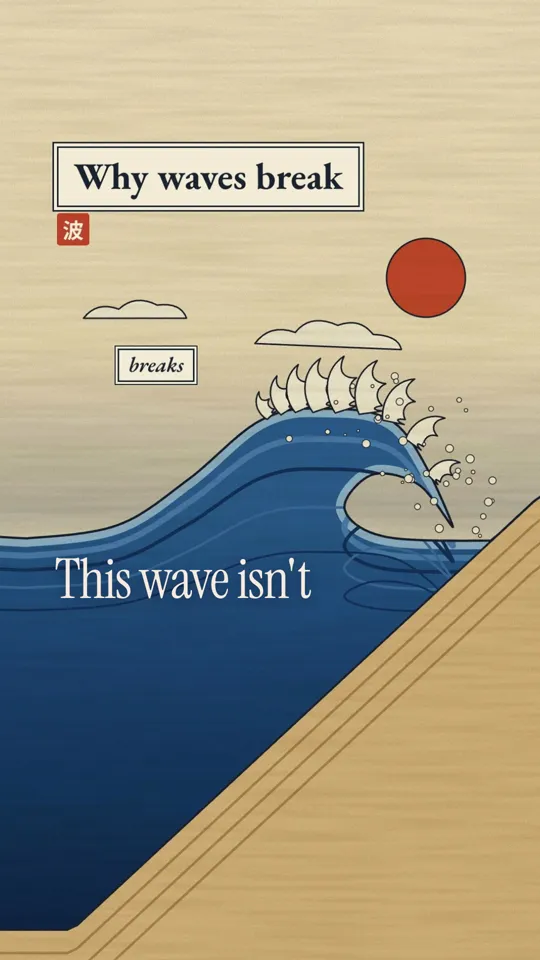
Animate anything from one picture and one sentence
Give Claude a style reference and a one-line idea; it draws every frame in code with HyperFrames and renders an MP4 on your computer.
LAUNCHMake a keynote-style launch film in code
Write a beat table first, then let Claude build a 3D opener, real interface clicks, a recap grid and original sound in HyperFrames, and render it on your own computer.