Animate your first Reel with code. No per-video credits.
Render a 5-second vertical animation on your own computer, then change one value and watch the camera move differently.
- Cost
- The renderer (HyperFrames) is free and open source (Apache-2.0); no per-render charge.
- Time
- 20–30 minutes the first time
- Phone?
- No. Laptop or desktop only.
- Tested on
- Tested on a MacBook Air M4 (16 GB) with Node 22.23
Why it’s worth it
Once a scene exists as code, every edit is a re-render on your machine rather than another paid generation. You can change timing, words and camera moves in seconds, and reuse the scene for the next Reel.
What you need
- Node.js 22 or newer: the HyperFrames package declares
node >= 22. - Google Chrome (HyperFrames renders frames in Chrome;
npx hyperframes@0.9.58 browsermanages its own copy). - Internet for the first run (npm downloads the tool; the scene loads GSAP from a CDN).
What it costs
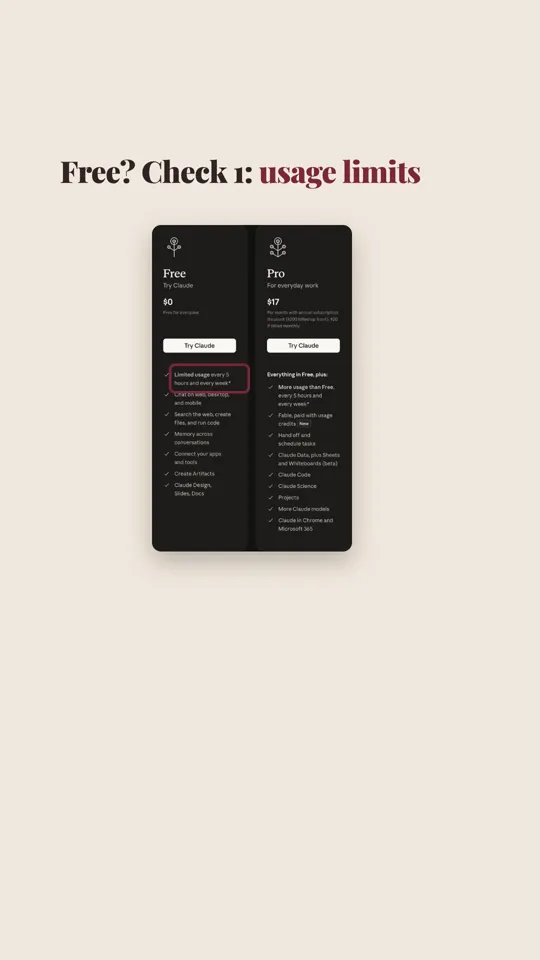
The renderer (HyperFrames) is free and open source (Apache-2.0); no per-render charge. If you use Claude Code to write scenes, note it isn't included in Claude's Free plan (claude.com/pricing, 17 Nov 2026).
Steps
Tap a step number to tick it off. Your progress stays on this device.
Check your Node version
Open Terminal (Mac) or PowerShell (Windows). You need v22 or newer.
node -vCreate a vertical project
This creates a folder set up for 1080×1920.
npx hyperframes@0.9.58 init my-motion --resolution portrait --non-interactive --skip-skillsAdd the starter scene
Download
lana_scene.htmlfrom this page and save it asmy-motion/index.html(replace the file that's there). It animates three cards and has one camera value:CAMERA_ZOOM.Check, then render
The checker reports layout and timing problems with a suggested fix. On our MacBook Air M4 the 5-second render took 4–7 seconds.
cd my-motion npx hyperframes@0.9.58 check npx hyperframes@0.9.58 render -o still.mp4Change one value
Open
index.htmlin any text editor, findconst CAMERA_ZOOM = 1.0;, change it to1.8, save, and render again. The camera now pushes in on the last card.npx hyperframes@0.9.58 render -o push-in.mp4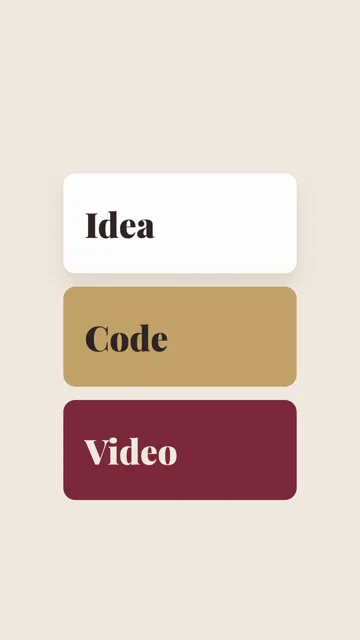
CAMERA_ZOOM = 1.0(our render, 4.6 s frame)Compare
Play both files side by side. Same file, one number apart.
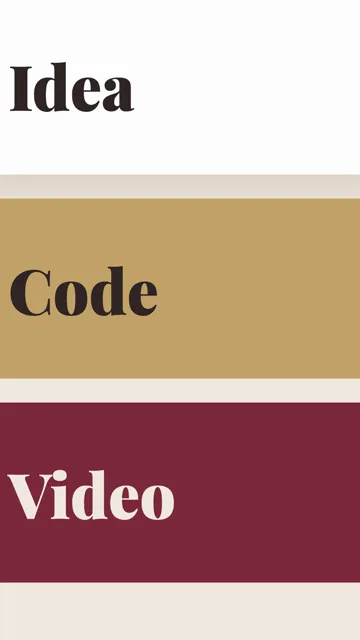
CAMERA_ZOOM = 1.8(our render, 4.6 s frame)
Prompts to copy
This is a HyperFrames video file (HTML + GSAP). Keep every class="clip", data-start and data-duration attribute, keep the timeline paused and registered on window.__timelines["main"], and don't add Math.random, Date.now or setTimeout. Change the three card words to: [WORD 1], [WORD 2], [WORD 3]. Use this palette: [COLOURS]. Keep CAMERA_ZOOM as the one value that controls the camera. Return the full file.

[PASTE index.html]
What you’ll get
Two MP4s, 1080×1920, 5 seconds each. still.mp4 keeps all three cards in view; push-in.mp4 ends with the camera pushed in so the cards fill the frame.
Our runs on 17 Nov 2026 (render_log.txt): CAMERA_ZOOM 1.0, check ok, 146 KB, rendered in 5.8 s; CAMERA_ZOOM 1.8, check ok, 617 KB, rendered in 4.0 s. HyperFrames 0.9.58, Node 22.23, MacBook Air M4 16 GB.
If it doesn’t work
"Unsupported engine" or syntax errors
Render can't find a browser
npx hyperframes@0.9.58 browser to let HyperFrames download its own.Fonts look like Arial
Nothing changes after editing
The fine print
Limits
- Rendering happens on your computer; longer or 3D-heavy scenes take longer on older laptops.
- HyperFrames also has paid options: its CLI lists
billing(plans/credits) andtemplates(HyperFrames Pro). This guide uses none of them. - Writing new scenes takes some HTML/CSS comfort or an AI helper; AI chat free tiers have usage limits.
Other ways to do it
- Motion Canvas: free, open-source TypeScript animation.
- Remotion: React-based code video; read its licence terms before commercial use.
- No code: CapCut or Canva templates. Easier, but each change is manual.
Safety. Install only the official npm package hyperframes. Use images, music and fonts you own or that are licensed for reuse.
Sources
- HyperFrames on npm (0.9.58, Apache-2.0, Node ≥ 22)
- HyperFrames licence (GitHub)
- HyperFrames docs
- Node.js downloads
Last tested 2026-11-17. Found something out of date? Tell Lana on Instagram and the guide gets fixed with a date.
The three-piece prompt: goal, input, example
Use the PROMPT guide to get an AI to restyle your scene in one go.
Open it