
Is it really free? The 3-check list
A two-minute check you can run on any 'free' AI tool before you build on it.
- Cost
- Free.
- Time
- 2 minutes per tool
- Phone?
- Yes.
- Tested on
- Any browser
Why it’s worth it
'Free' can mean a limited tier, free under a condition, or free but with rules on how you use the output. Checking three things on the official pricing or licence page saves you rebuilding later.
What you need
- The tool's official pricing page, plan comparison or licence page (not a review site).
What it costs
Free. You only read official pages.
Steps
Tap a step number to tick it off. Your progress stays on this device.
Check 1: usage limits
Find the free plan on the official pricing page. Look for words like 'limited usage', credits, caps or resets. Example: Claude's free plan says limited usage every 5 hours and every week, and its comparison table shows Claude Code isn't included on Free.
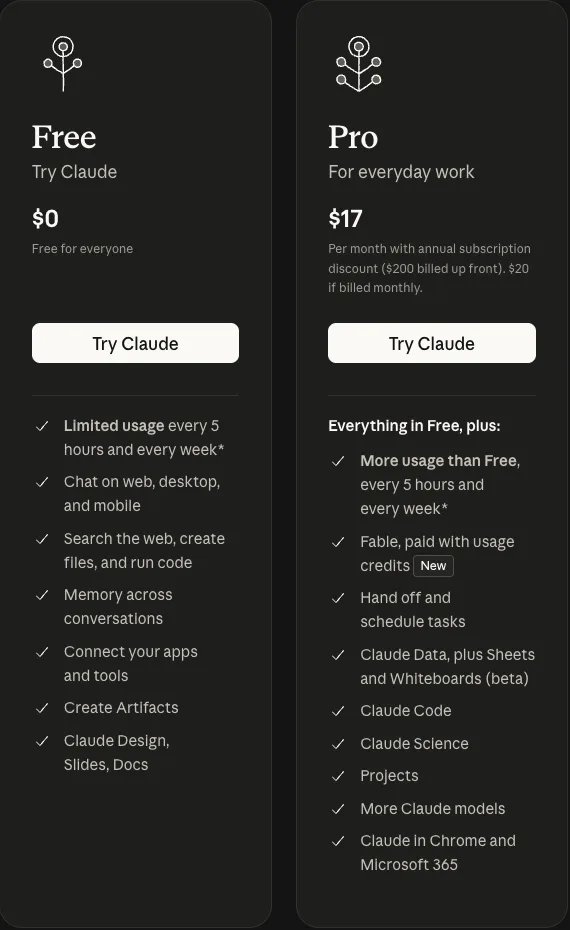
claude.com/pricing, captured 17 Nov 2026 Check 2: conditions
Is it free only if you do something: make your project public, stay under a size, add a watermark? Example: GitHub Pages is available in public repositories on GitHub Free; private-repo sites need a paid plan.
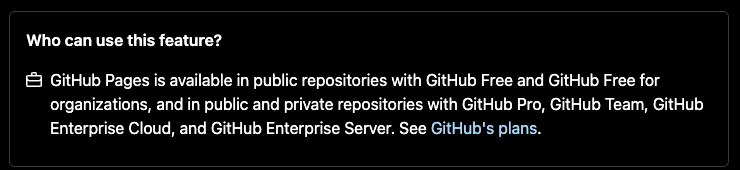
docs.github.com, captured 17 Nov 2026 Check 3: rights
Check the licence or terms for two separate things: the tool, and what you put into your output. Example: HyperFrames (the tool) is Apache-2.0, so commercial use and modification of the tool are allowed if you keep its licence notice. Your video's rights still depend on the fonts, images and music inside it.

github.com/heygen-com/hyperframes, captured 17 Nov 2026 Write down the date
Pricing changes. Note the date you checked and re-check before you publish a tutorial or start a client project.
Prompts to copy
Here is the text of a pricing/terms page: [PASTE]. Answer only from this text, quote the exact line for each answer, and say 'not stated' if it isn't there:
1) What are the usage limits on the free plan?
2) Are there conditions (public project, watermark, size, region)?
3) Can I use outputs commercially, and what must I keep or credit?
What you’ll get
Three one-line answers, each with the exact sentence from the official page and the date you checked.
Our three checks on 17 Nov 2026: Claude Free has limited usage (5-hour and weekly) and no Claude Code; GitHub Pages is free for public repositories on GitHub Free; HyperFrames (the tool) is Apache-2.0; output rights depend on the assets you use. Screenshots are in the steps.
If it doesn’t work
The pricing page is vague
Prices differ from what you see
The fine print
Limits
- Prices and plans change. Our screenshots are dated 17 Nov 2026.
- This checklist doesn't replace reading full terms for a commercial project.
Other ways to do it
- Open-source tools: read the LICENSE file in the repository.
- For datasets: look for the data licence (for example CC BY requires credit).
Safety. Use the vendor's own pages. Don't rely on screenshots in comments or old blog posts.
Sources
Last tested 2026-11-17. Found something out of date? Tell Lana on Instagram and the guide gets fixed with a date.
Animate your first Reel with code. No per-video credits.
Try the checklist on the next tool you see called 'free', then see MOTION for a renderer that passes all three.
Open it
More like this.
MOTIONAnimate your first Reel with code. No per-video credits.
Render a 5-second vertical animation on your own computer, then change one value and watch the camera move differently.
 PROMPT
The three-piece prompt: goal, input, example
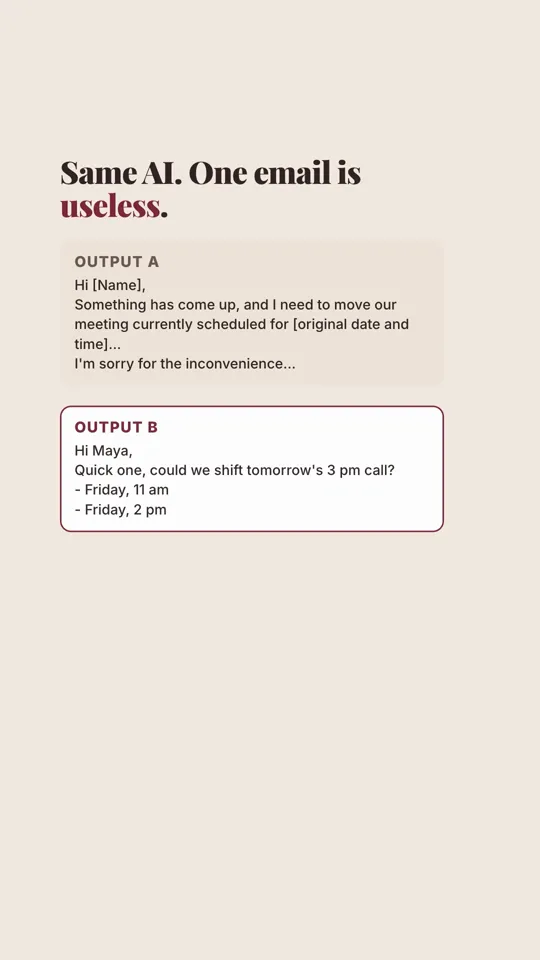
Turn a vague request into one that returns something you can actually send, in any AI chat.